Home
>
All Guides
>
How do I Cash Out Datacy Payments
📄 How do I Cash Out Datacy Payments


There is a minimum threshold of $30 in earnings required before you can request a payout. This threshold ensures that payment processing is efficient and cost-effective for both you and Datacy.
How does the payment process work?
Datacy uses trusted third-party payment providers, such as PayPal and Stripe, to process payments. These providers have their own payment processing times and policies. Please note that while we strive to ensure timely payments, Datacy is not responsible for any delays that may occur due to the processing times of these third-party services.
To link your PayPal Account follow the instructions on this page.
To link to your Stripe Account you can follow the steps, here.
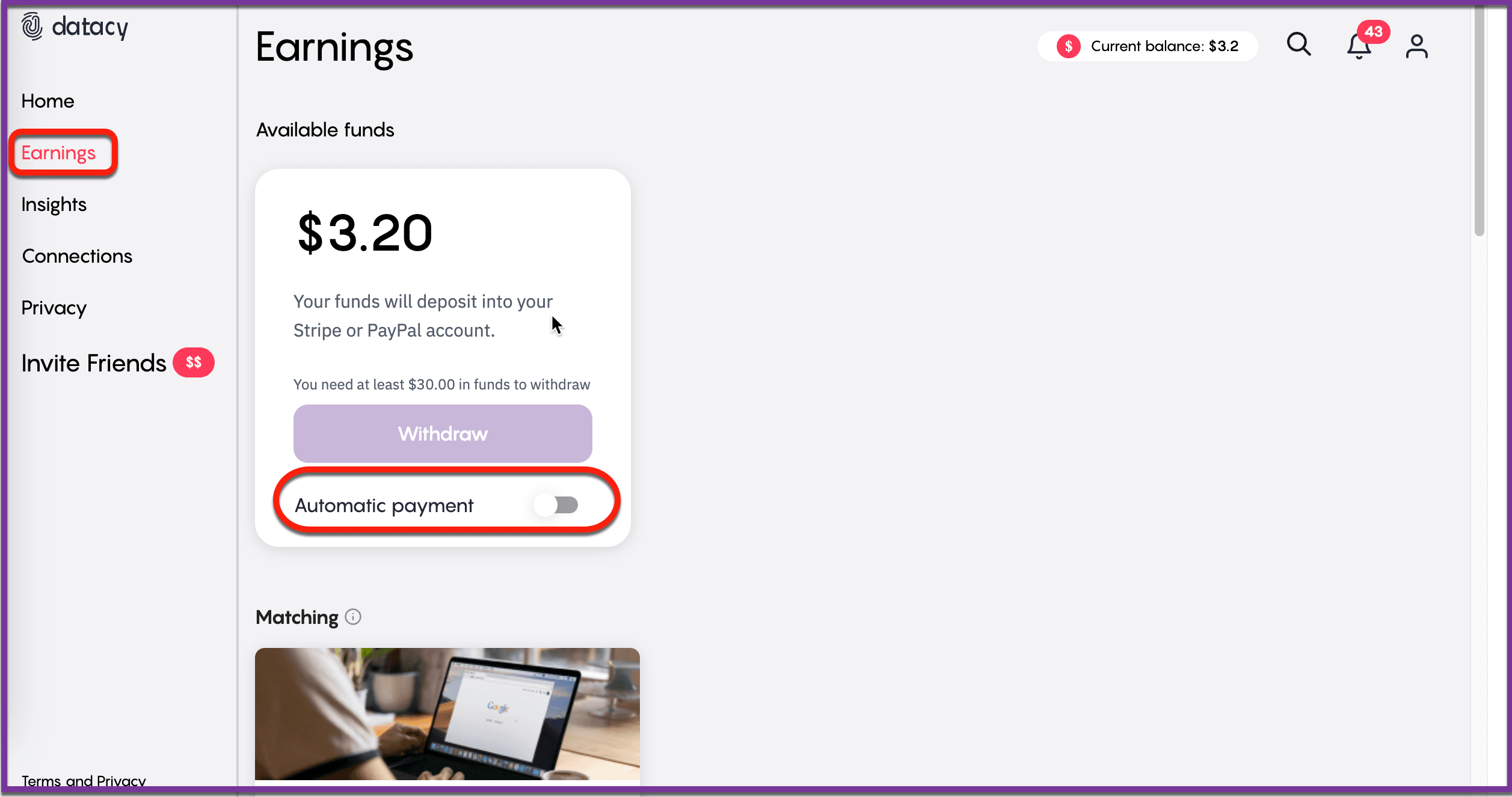
We offer flexible payment frequency options to suit your needs. You can choose to set up autopayments, on your dashboard, which will automatically transfer funds to your account whenever your balance reaches or exceeds $30. Autopayments can be scheduled to occur either once a week or twice a month, depending on your preference. If you prefer not to use autopayments, you can manually request a payment anytime your balance is at least $30.
Payment processing times vary depending on the payment method you select. Once a payment request is initiated, it may take between 14 to 21 business days for the funds to reach your bank account through PayPal or Stripe. Please keep in mind that weekends and holidays may affect processing times.
We recommend regularly checking your balance and understanding the payment schedule to ensure you are aware of when to expect payments. If you have any questions or need assistance with your payment settings, our customer support team is here to help.
Should you have any questions or suggestions, please get in touch with the Datacy Customer Support Team by sending an email to [email protected].
Other Guides
📄 How to Download your ChatGPT data
📄 Troubleshooting Datacy Extension Issues
📄 How to Download your data from Gemini
📄 How to Generate your Referral Link
📄 How to Monetize your Web Browsing
📄 How Much will I Earn using Datacy
📄 Getting Matched with Other Opportunities
📄 How to Request your Data from Instagram
📄 Datacy’s Frequently Asked Questions (FAQ)
📄 Download and Sign-Up for Datacy
📄 What are the Key Features of Datacy
📄 Can I Use Datacy on my Phone
📄 What is Datacy
📄 Your Data Privacy is Our Top Priority
📄 How to Connect your Social Media Apps
📄 Tips: Earning More Rewards Browsing with Datacy
📄 Which Browsers Support Datacy
📄 Understanding the Earnings Page on the Datacy Dashboard
📄 Getting Started
📄 Verifying your PayPal Account
📄 Payment Methods for Datacy
📄 How to Use the Earnings Tab
📄 What Happens to my Collected Data
📄 Tips: Get Matched with Brand Communities on Datacy
📄 Generate your Referral code on the Datacy Dashboard
📄 How to Manage your Data Preferences
📄 How to Make Data Deletion Requests
📄 How To Request your Data from Tiktok
📄 3 Tips to Maximize your Earnings with Datacy
📄 How to Earn and Benefit from your Data with Datacy!
📄 Setting up a Datacy Account
📄 Seamlessly Connect Your PayPal to the Datacy Extension
📄 How do I Cash Out Datacy Payments
📄 What Countries are Supported by Datacy
📄 Surf to Datacy FAQ
📄 How do I Earn with Datacy
📄 How to Connect Reddit, X, and Youtube to Datacy
📄 Key Features of Datacy
📄 How to Restrict Websites from your Datacy Dashboard
📄 Connect Datacy with Stripe
⬅️ Back to Knowledge Base